Video Library
Watch the How-to Videos for the quickest way to get started with MathsOnline.
Teacher User Guide
Setting Homework Activities
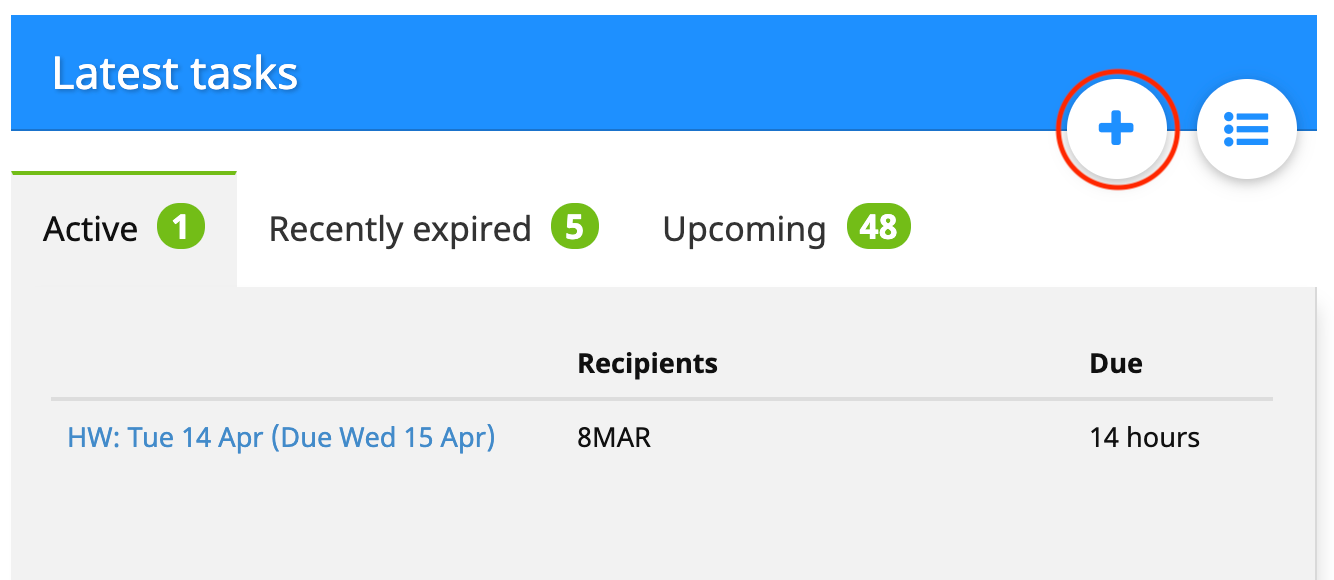
To create an activity, from the home admin page click ‘+’ in upper right-hand corner of the Latest Activities box.
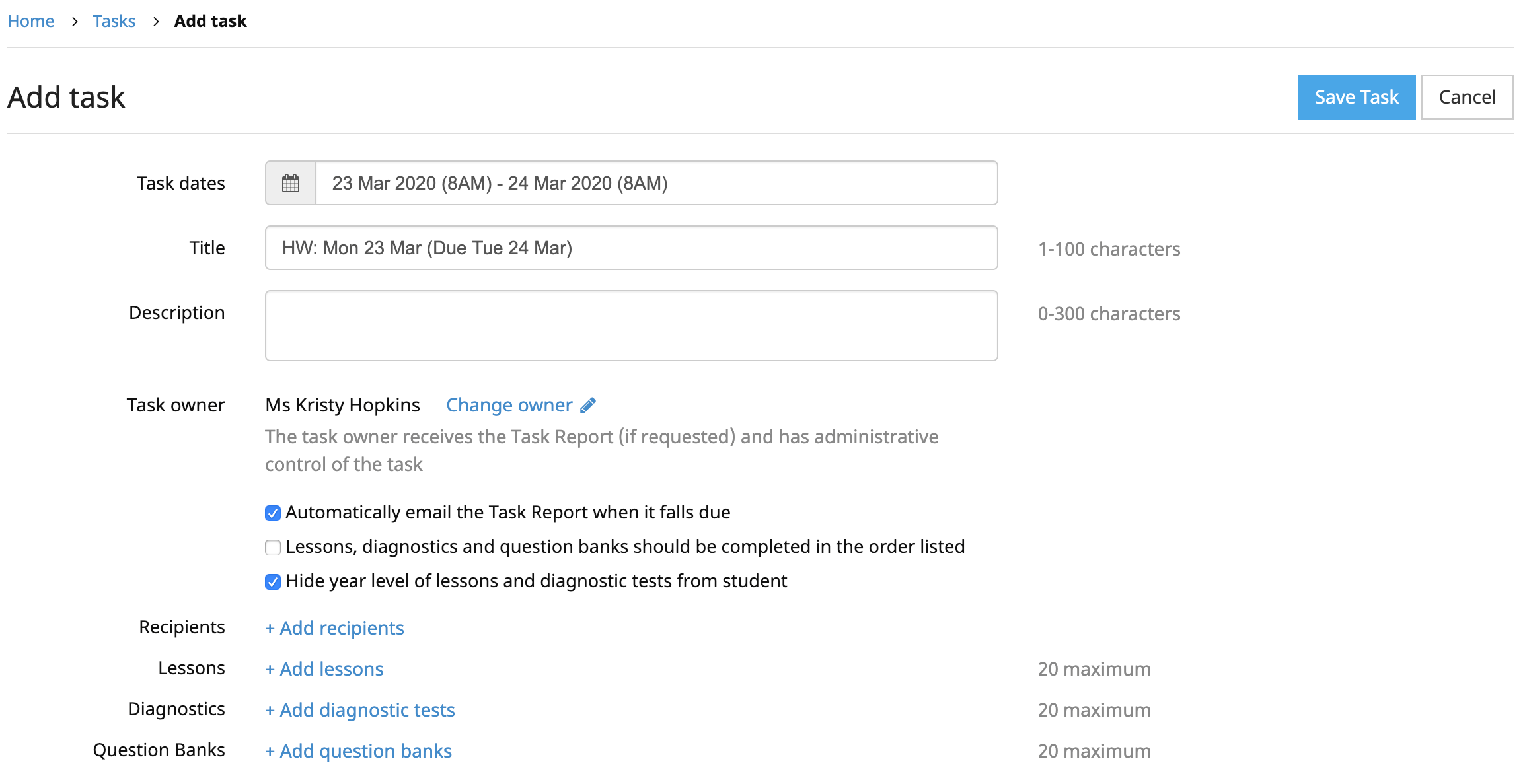
A new, empty activity is created ready to be filled out. First, choose the date and time at which the activity will be available to students, and the date and time when the activity falls due. The default title for the activity contains the selected start and due dates, but this can be changed. There is also the option for the teacher to write a note containing a reminder or additional information for the students.
Overdue homework activities will continue to be displayed to students. This way the student still has the opportunity to complete the activity, albeit late.
Note: Setting or changing the activity owner is only available to full administrators.
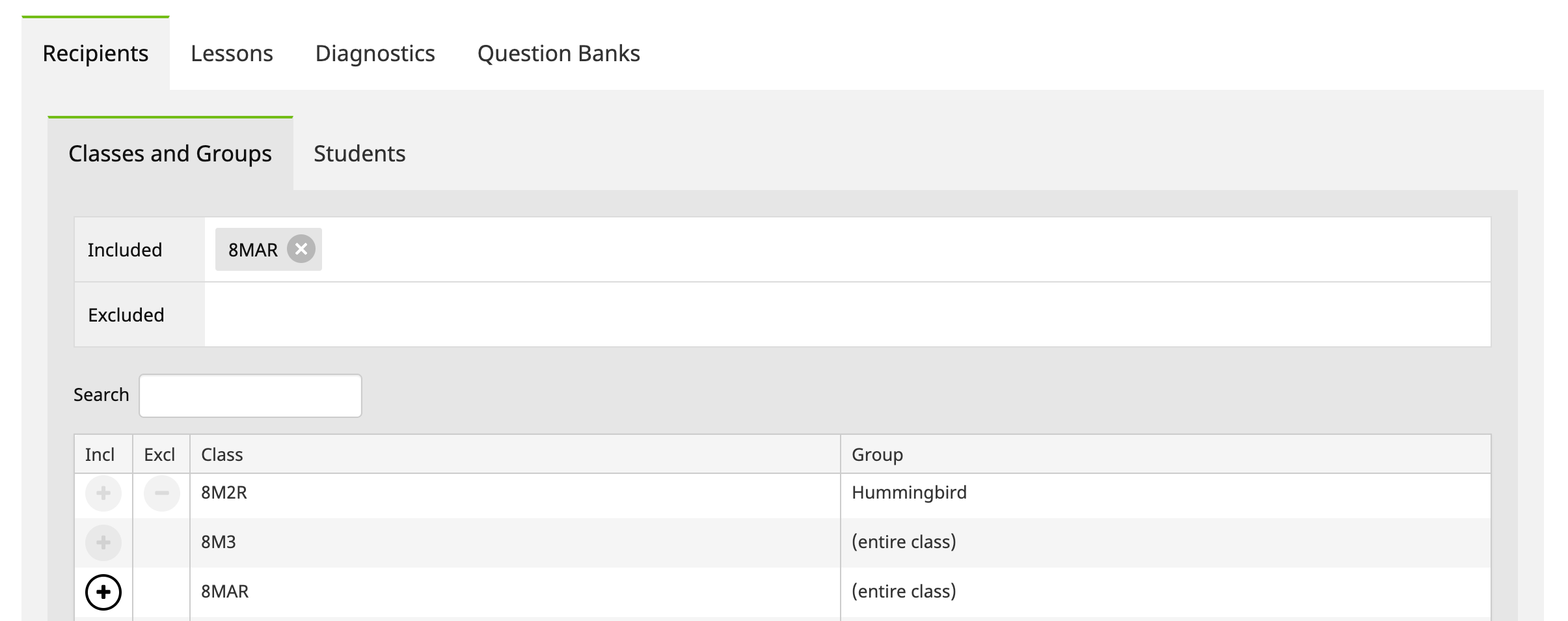
To select the Classes and Groups and/or Students to receive the activity, click ‘+ Add recipients’. Click ‘+’ or ‘-’ to include or exclude Classes and Groups and/or Students from the activity.
To select the lessons, click ‘+ Add lessons’. In the Lessons box you will see the lessons that have been added to the activity. You can continue adding lessons by clicking the relevant check boxes until all required lessons have been added (max 20). Use the filters to display only lessons from particular courses, streams or topics. Or start typing the name of a lesson in the keyword search to see the matches.
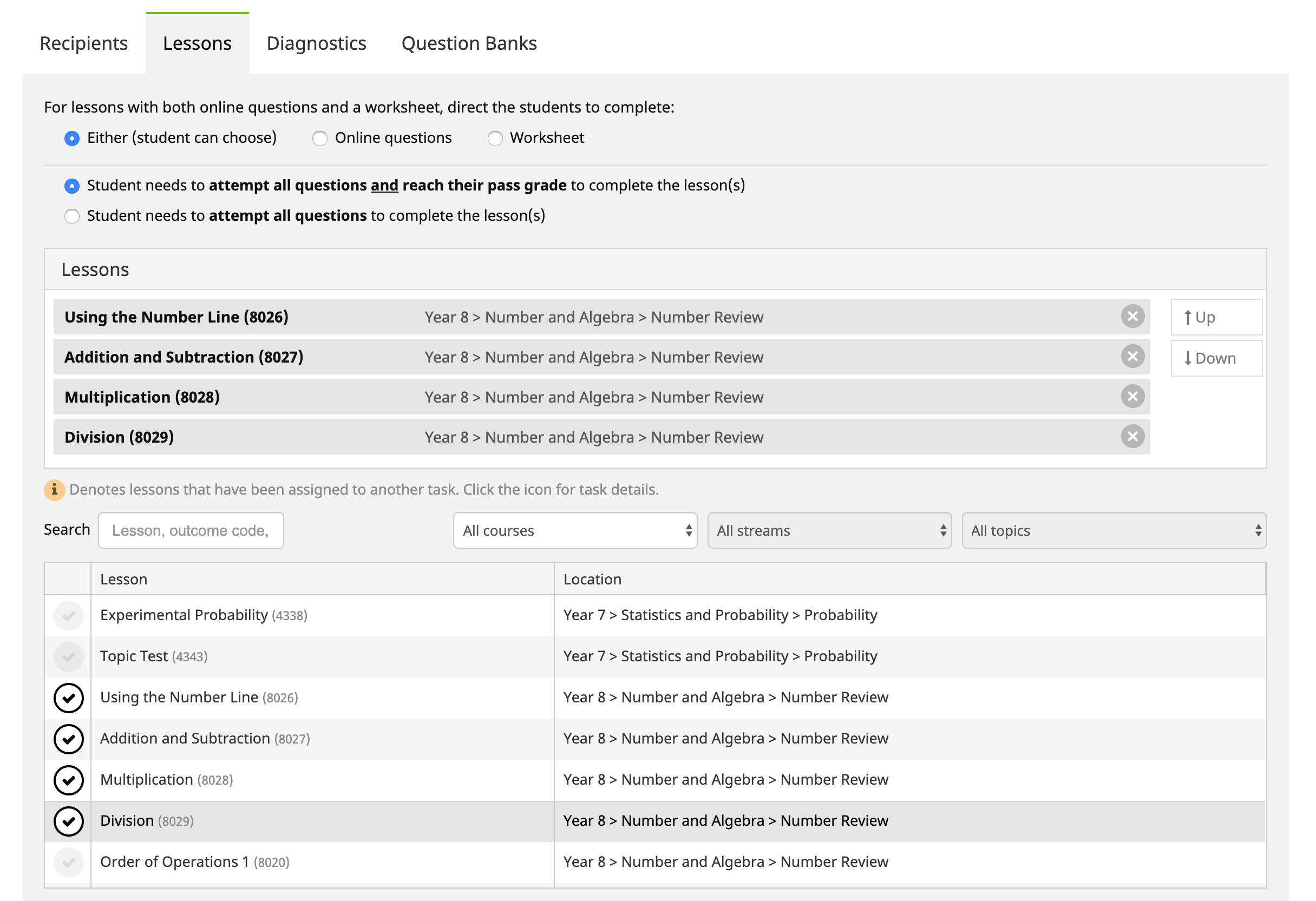
You can change the order of the lessons if required, using the ‘Move Up’ and ‘Move Down’ buttons. You can specify online questions or worksheet where both exist. If students are required to complete the lessons in the given order, check the box in the upper left hand corner.
Finally, click ‘Save Activity’. A confirmation notice will appear if the activity was added successfully.
The Rollover Guide For A New School Year
If you used MathsOnline in 2025 you DO NOT need to register your school again for 2026. Follow one of the methods below to rollover your classes for 2026.
New schools please register here and instructions will be emailed to you.

Method 1 Recommended
Send to MathsOnline a new and complete list of students and teachers. This will overwrite all existing students and teachers.
Advantages:- Greatly simplifies rollover process. Download, populate and return the spreadsheet to MathsOnline and we will process your student and teacher rolls for you in one business day.
- Removes existing student results so students start the new year with a clean slate.
- After MathsOnline processes your school roll, new logins and passwords will need to be distributed to students and teachers.
Method 2
Using the tools within the Teachers’ Area, manually roll over teachers, classes and students.
Advantages:- Students and teachers keep their logins, passwords, and results.
- A more tedious rollover method, as each class needs to be rolled over manually, students that have left must be identified and deleted, and students and teachers entering the school need to be added.
View Method 2 Instructions

Downloads
Teacher User Guide
Download Teacher User GuideAdd Students to School Template